 Linux
Linux
Local file transfer,
perfected.
ConnectLnx is a modern, high-speed file transfer tool that works across all your devices instantly. We bypass slow cloud servers to give you maximum privacy and performance.
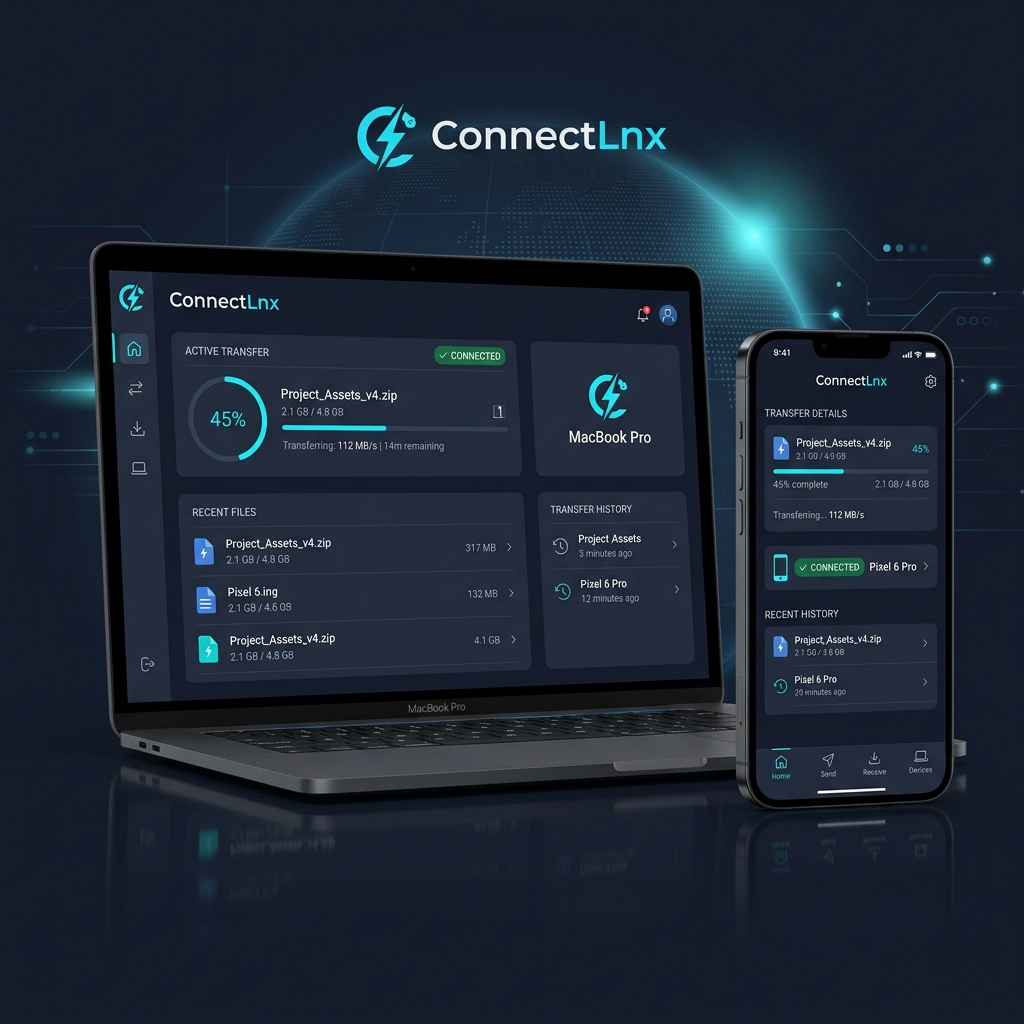
Designed for speed. Built for privacy.
By bypassing the public internet, ConnectLnx keeps your transfers fast, completely free, and secure from external network trackers.
True Cross-Platform
Bridging the gap between all your personal devices. ConnectLnx connects Android, Linux, and Windows seamlessly over your local network.
100% Local Privacy
No accounts, no user profiles, and no cloud middleman. Your data stays entirely within your physical network. Safe, simple, and zero-setup.
Native Performance
Built with Kotlin Multiplatform for optimal, bare-metal speed. Harnesses the full bandwidth capability of your local Wi-Fi or LAN connection.
Why choose ConnectLnx?
See how ConnectLnx stacks up against traditional ways of sending files between your devices.
| Feature | ConnectLnx | Cloud Storage | Bluetooth | Apple AirDrop |
|---|---|---|---|---|
| Transfer Speed | ⚡ Max Local Link (100MB/s+) | Slow (Limited by ISP Upload) | Very Slow (~2-3MB/s) | Fast (~30-50MB/s) |
| Privacy / Servers | 🛡️ Direct P2P (No Cloud) | Public Servers (Uploaded) | Direct P2P | Direct P2P |
| File Size Limit | 📁 Unlimited (Free) | Strict Storage Caps | Unlimited (impractical) | Unlimited |
| Setup / Login | ✨ Zero Setup (No Account) | Requires Account & Login | Pairing required | Apple account required |
| Supported Platforms | 💻 Android, Linux, Windows | Cross-platform | Windows / Android | Apple-only (macOS/iOS) |
Simplifying your workflow.
Three steps. No cables. No setup.
Install
Get the ConnectLnx client on both your sender and receiver devices.
Discover
Open the application. Both devices will automatically find each other on the local network.
Send
Drag and drop your files, select the recipient device, and initiate transfer instantly.
Frequently Asked Questions
Clear answers to questions about how ConnectLnx functions.
No! ConnectLnx transfers files completely offline over your local Area network (LAN), using your Wi-Fi router or Ethernet cables. You can even transfer files using a temporary mobile hotspot without consuming any of your cell data plan.
Yes. Files are transferred directly peer-to-peer (P2P) between the two devices. Because the data is transmitted locally and never touches public external cloud storage servers, it remains completely secure from online tracking and interception.
ConnectLnx listens on port 5533 for service discovery and active transfers. If your devices aren't discovering each other, ensure that port 5533 is allowed for inbound and outbound local traffic in your operating system's firewall (e.g. UFW on Linux or Windows Defender Firewall).
Not at all! ConnectLnx does not place any software caps on file transfers. You can send folders of any size (even hundreds of gigabytes) and bulk files without any cost or restrictions.
Ready to experience local speed?
Get ConnectLnx on your devices and forget about cloud links or cables for local sharing. Completely free, safe, and open-source.